|
||||||||||||||||
|
|
Reality Factory: Make your own Video games -
Hit the tab called templates.
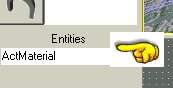
Directly underneath this tab, and a little way down the page is a dropdown box called "Entities"
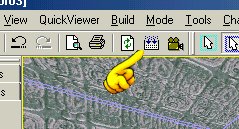
Pull down this menu and select Playersetup then hit enter on your keyboard. This causes a small icon to appear in your room. This (Playersetup) gives your player all of its characteristics. Now let's place a player in the game. Reality factory already has pre-made players for you so all you have to do is place it in the game. Pull down the Entities menu again and select Playerstart. Now click on your 3d view and look around. Near the floor a lightbulb has been placed in the room. THis is the player start. Hit Enter again and the lightbulb will change to a little red box that says player start. This is your player! Now lets run this and take a walk around inside. Click the Build button. This takes the world you built and compiles it into an actual game world.
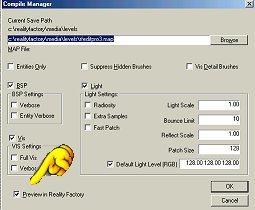
Now a menu appears. Check the box called Preview in Reality Factory. and then hit OK.
The world is built and you now can take a walk around your new room! That didn't take long did it. Reality Factory is an amazing tool that does all of the programming work for you. You can focus on the creativity of building a game.
|
|
||||||||||||||
Copyright©2001-2016 Kalif Publishing - Contact, copyright and Disclaimer - Let's Make Something T - Storm the Castle T Publishing
|
||||||||||||||||