Home

I have a youtube channel with over 1000 Project Videos!




Wills Pinterest !


Hi, Thanks for visiting my website. My name is Will and if you have questions
or would like to
contribute projects or ideas you can contact me 
Overview
on how to make a video game for beginners
|
|
If you are wondering what kind of things you have to learn and what kind of software you need to make a video game then this tutorial is what you need. |
This tutorial is designed to give you a look at what the process is in
video game making. It isn't a tutorial on how to make a video game. If
you want that you can go to my
video game making tutorial
We are going to be looking at the process of building a 3d game much
like a rpg or first person shooter.
Note: this tutorial takes a generic overview of the video game making
process. There are many different ways to do it and many different software
applications to help you. The goal of this tutorial is to give you an
overview so you understand the general steps involved in video game making.

Ultimate Game Design: Building Game Worlds Product
Page at Amazon
Product
Page at Amazon
Many game design books give you an overall view. This
book actually gives you real results and help with designing levels, textures
and lighting. Good book for adults.

Creating the Art of the Game
Product
Page at Amazon
The key word here is art: the dynamic 3D art that defines the world of
computer games. This book teaches you everything you need to know about
the planning, modeling, texturing, lighting, effects creation, and interface
design that go into creating today's most advanced and stunning video
games.
Tutorial starts here
First of all lets start with the software tools you need.
There are three different types of software that you should have to get
going on video game design.
1. You need software that you will build the video game world
in (often called world-building software). This is where you make
the terrain, water, buildings etc. There are many different software applications
that do this. If you want to get an overview of a lot of these I suggest
you go to the DMOZ open directory project and check out Game
Development Software
Many of these development software suites come complete with lots of
textures and models that you can drag and drop right into your game. You
can build complete games.
2. You need software to manipulate images and graphics.
If you want to have individualized characters and items in your world
or if you want a very specific look you will have to draw these items
or modify existing items. This means a graphics program. I have been using
Paint Shop Pro for years.
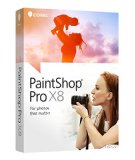
Paint Shop Pro Product
Page at Amazon
It is simply, for the price, the best. The professionals use PhotoShop
but it is expensive.
3. You need modeling software so you can design and create your characters
and items for the game.
There are two major programs that you should use for 3D modeling: 3D
Studio Max (www.autodesk.com) and Maya (www.alias.com) They
are both very expensive but Maya has a special free download for students
and learning. Check out the Maya download.
Another big player in this field is Lightwave 3D.It is also an
expensive program.
If you want to just get your feet wet on something simpler you might
want to try a program called Milkshape3D (www.milkshape3d.com). Its a
good 3d Modeling program that is predominantly used for Quake and Half
life and Unreal. They have a free 30 day trial download.
Continue on to Page
2 of the tutorial
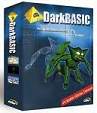 DarkBASIC
Product
Page at Amazon
DarkBASIC
Product
Page at Amazon
Easier to comprehend than some other game-programming packages out there,
DarkBASIC offers both a fun tutorial and a powerful code editor. You can
start programming right away in this offshoot of the BASIC language. First
you will learn about the principles of programming, then advance onto
media and 3-D topics with further study. The program makes it easy, and
with a handful of impressive examples you can learn by doing on several
short, fast programs.